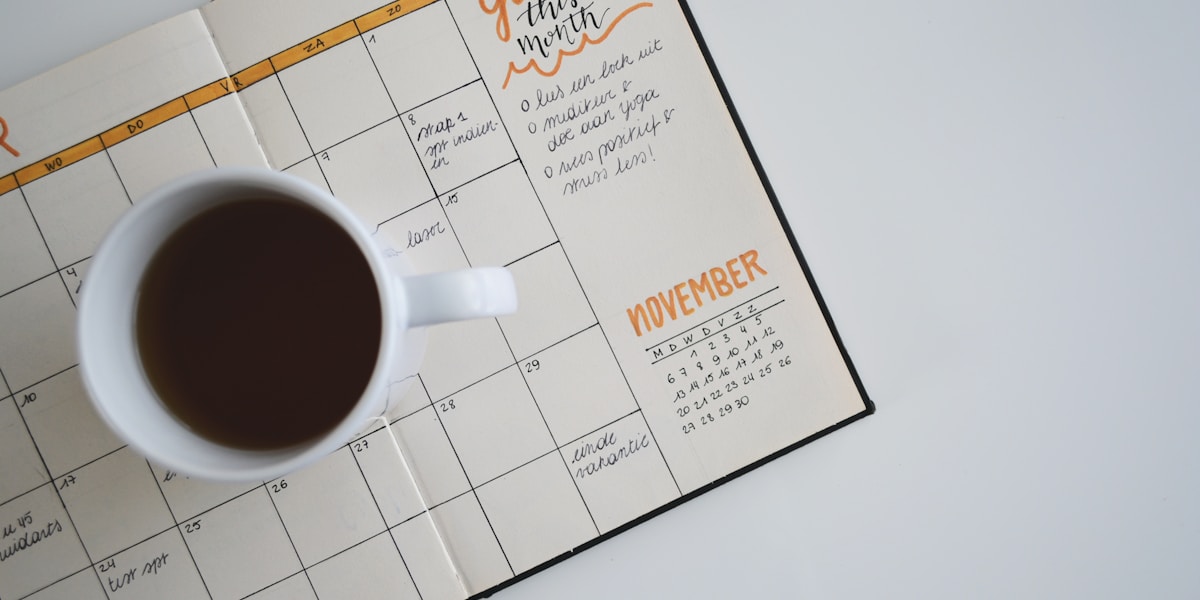
A social media content calendar is the single most reliable way to go from posting randomly to publishing consistently. Yet most guides either give you a generic spreadsheet and call it a day, or bury the practical advice in theory. This guide does both: a real template you can use today, and the process that makes it stick.
Quick Answer
Key Takeaways
- Marketers who plan content in advance are significantly more likely to report success than those who post reactively.
- A content calendar needs seven core fields: date, time, platform, content type, copy, media, and status.
- Rotate across four content categories — educational, entertaining, promotional, and community — to keep your feed varied and engaging.
- Posting frequency varies widely by platform: Twitter supports multiple posts per day, while YouTube performs best with one or two videos per week.
- Plan one month ahead at minimum and batch your content creation into one or two weekly sessions.
- Start with a spreadsheet template to validate your workflow, then move to a dedicated tool when volume increases.
What Is a Content Calendar and Why You Need One
Without a plan, social media becomes reactive. You scramble for ideas the morning a post is due, you forget to promote that product launch, your content skews heavily toward one theme for three weeks, and then you go silent for ten days because you ran out of ideas. Sound familiar?
A content calendar solves all of this. It is a forward-looking schedule that shows you exactly what is being published, on which platform, and when — for weeks or months ahead. It is both a creative planning tool and an operational workflow. Your entire team (or just you) can see what is coming, catch gaps before they happen, and coordinate content around product launches, seasonal events, and campaigns.
Marketers who document their content strategy and plan posts in advance are three times more likely to report success than those who post without a plan, according to Content Marketing Institute research.
The benefits compound quickly. When you plan ahead, you can batch content creation — writing a week of LinkedIn posts in one sitting rather than scrambling every morning. You can ensure your content mix is balanced. You can spot conflicts — like accidentally scheduling a promotional post on a day when a competitor is announcing something major. And you can hand off your social media to another person without losing continuity.
For a deeper foundation, see our social media strategy guide, which covers how to define the goals and content pillars that drive your calendar.
Essential Elements of a Content Calendar
A content calendar is only useful if every entry has enough detail to act on. These are the seven fields every row in your calendar should include:
- Date: The publication date. Include the day of the week to make patterns visible at a glance — you will quickly spot if all your educational posts land on Mondays or if weekends are empty.
- Time: The scheduled publication time in your target audience's timezone. Match this to platform-specific peak engagement windows. See our guide to the best times to post on social media for platform-by-platform recommendations.
- Platform: Which channel the post goes to — Twitter, LinkedIn, Instagram Feed, Instagram Reels, YouTube, Threads, etc. If you are cross-posting, list each platform separately as a distinct row, because the copy and format will need to be adapted.
- Content Type: The format of the post. Options include: text-only, image, carousel, Reel or short-form video, long-form video, link post, poll, Story, or thread. Tracking this lets you audit whether your content is too heavy in one format.
- Copy: The actual post text, including any hashtags. Write the full draft in the calendar, not just a placeholder. This is the most important field — it turns your calendar from a schedule into a content production system.
- Media: A link to the image, video, or graphic file for that post, or a note that the asset still needs to be created. Connecting your calendar to a shared drive or asset library here saves significant time.
- Status: Where the post is in the workflow. A simple four-stage system works well: Idea, Draft, Ready, and Scheduled (or Published). This makes it easy to see what needs attention at a glance.
Optional but useful fields include: content pillar or theme, campaign name, link being promoted, call to action, and notes for the designer or copywriter.
How to Build Your Content Calendar Step by Step
Building your first calendar from scratch takes about two to three hours. After the first month, monthly setup drops to under an hour because the structure is already in place.
- Step 1 — Choose your tool. Start with a spreadsheet (Google Sheets or Notion works well) if you are a solo creator or small team. Create columns for the seven fields listed above. Add a tab per month, or use a single tab with color coding by platform. If you are already using a scheduling tool like PostCraze, use its built-in calendar view instead.
- Step 2 — Block out fixed dates first. Add every product launch, event, campaign, and seasonal moment for the next 30 days. These are your anchor posts — every surrounding piece of content should support or complement them. Common fixed dates: product releases, webinars, sales, industry conferences, and holidays relevant to your audience.
- Step 3 — Assign posting slots by platform. Based on your target frequency (see the platform-by-platform breakdown below), block out time slots for each platform. For example: Monday, Wednesday, Friday at 9 AM for LinkedIn; Tuesday, Thursday, Saturday, Sunday at 11 AM for Instagram. Do this for every week in the month.
- Step 4 — Assign content categories to each slot. Label each empty slot with a content category (educational, entertaining, promotional, or community) according to your target content mix. This ensures variety before you write a single word.
- Step 5 — Write the copy. Fill in the actual post text for each slot. Do this in batches — write all of one platform's posts before moving to the next. This keeps your voice consistent and speeds up the process significantly.
- Step 6 — Assign or create media assets. Match images, videos, or graphics to each post. For posts that need custom graphics, note the asset requirement and flag it for your designer (or yourself) at least five days before the post date.
- Step 7 — Schedule everything. Once posts are in "Ready" status, schedule them in your publishing tool. If you are using PostCraze, bulk scheduling lets you upload multiple posts at once instead of entering them one by one.
Pro Tip
Write your post copy directly in the calendar, not in a separate document. Keeping copy, media links, and scheduling details in one row means you never lose a draft, and anyone reviewing the calendar can see exactly what will be published.
Content Categories and Themes to Rotate
A healthy content mix is the difference between an account that grows and one that stagnates. Rotate across four core categories, and your audience will have a reason to follow you regardless of whether they are in buying mode.
1. Educational Content (35-40%)
Educational posts establish your authority and give people a reason to follow you before they are ready to buy. This category includes how-to guides, tips and frameworks, industry data, explainer threads, and myth-busting posts. Educational content tends to be saved and shared more than any other type, which drives reach beyond your existing audience.
Examples: "5 ways to improve your LinkedIn profile," "How the Instagram algorithm ranks content in 2026," "Why most email subject lines fail (and what to do instead)."
2. Entertaining Content (25-30%)
Entertainment content builds emotional connection and makes your brand human. It includes relatable observations, behind-the-scenes glimpses, light humor, trending formats adapted to your niche, and personality-forward posts. This category is the hardest to plan in advance because it often responds to what is happening culturally — but you can pre-plan formats like "a week in the life" or "unpopular opinion" posts and fill in the content later.
3. Promotional Content (15-20%)
Promotional posts drive conversions — product announcements, feature spotlights, customer testimonials, case studies, and limited-time offers. The key is proportion: when promotional content makes up more than 20-25% of your calendar, audiences start to tune out. Earn the right to promote by leading with value in your other categories.
4. Community Content (15-20%)
Community content invites participation and signals that you are listening. Polls, open-ended questions, "this or that" debates, shoutouts to customers or collaborators, user-generated content reposts, and Q&A sessions all belong here. This category drives comments more than any other, which boosts algorithmic distribution on most platforms.
Pro Tip
Label each row in your calendar with its content category and run a monthly audit. If promotional content is creeping above 25% or educational content has fallen below 30%, rebalance before filling the next month. A quick category count takes two minutes and prevents your feed from drifting off-strategy.
How Many Times to Post Per Platform Per Week
Posting frequency is one of the most debated topics in social media marketing. The honest answer: post as often as you can maintain quality. Dropping below minimum effective frequency on most platforms significantly reduces algorithmic reach, but posting low-quality content to hit a number is counterproductive.
These are the recommended ranges based on current platform data:
| Platform | Recommended Frequency | Notes |
|---|---|---|
| Twitter (X) | 3-5 posts per day | Tweets decay fast. High frequency maintains visibility. Threads can count as one unit. |
| 3-5 posts per week | Posting more than once per day on LinkedIn typically suppresses reach on both posts. | |
| 3-7 posts per week | Mix feed posts (3-4/week) with Reels (2-3/week) and Stories (daily if possible). | |
| Threads | 1-3 posts per day | Similar to Twitter in pace. Short, conversational posts outperform polished copy. |
| YouTube | 1-2 videos per week | Quality over quantity. One strong video per week beats four mediocre ones. |
| YouTube Shorts | 3-5 Shorts per week | Shorts are treated as a separate discovery surface. They do not compete with long-form videos. |
If you are managing multiple platforms, do not try to hit maximum frequency on all of them simultaneously. Pick one primary platform where you will be most active, one or two secondary platforms where you repurpose content, and scale from there. Our guide on cross-posting on social media covers how to adapt content across platforms without hurting reach.
Brands that post consistently at least three times per week on LinkedIn see 4.1 times more follower growth than brands that post sporadically, according to LinkedIn's own research.
Free Content Calendar Template Walkthrough
Here is exactly how to structure your calendar template. Each row represents one post. Sort by date or group by platform, depending on how your team works.
Column Structure
| Column | Format | Example |
|---|---|---|
| Date | YYYY-MM-DD | 2026-03-18 |
| Day | Auto-calculated | Wednesday |
| Time | HH:MM AM/PM TZ | 9:00 AM ET |
| Platform | Dropdown | |
| Content Type | Dropdown | Text + Image |
| Category | Dropdown | Educational |
| Copy | Long text | Full post copy with hashtags |
| Media Link | URL or note | drive.google.com/file/… |
| Status | Dropdown | Ready |
Sample Week (Three Platforms)
Here is what a single week might look like for a SaaS brand managing LinkedIn, Twitter, and Instagram:
- Monday 9 AM — LinkedIn — Educational: "3 things I learned building a content calendar from scratch (and the mistake that cost us two weeks of reach)." Text post with a custom graphic showing the mistake.
- Tuesday 8 AM — Twitter — Community: "Hot take: most social media calendars fail because they plan content, not conversations. Agree or disagree?"
- Tuesday 11 AM — Instagram — Entertaining: Reel: "What posting on social media without a calendar looks like vs. with one." Comedic side-by-side.
- Wednesday 12 PM — Twitter — Educational: Thread: "How we planned our best-performing month ever (step by step, with the actual calendar)."
- Thursday 9 AM — LinkedIn — Promotional: Customer case study: how [Brand X] saved 6 hours per week using PostCraze's bulk scheduling. Quote card image.
- Friday 8 AM — Twitter — Educational: "Posting frequency by platform in 2026: what the data actually says." Link to this article.
- Friday 11 AM — Instagram — Educational: Carousel: "7 fields every social media content calendar needs." Swipeable graphic.
- Saturday 10 AM — Instagram — Community: Story poll: "Do you plan your content a week out, a month out, or day of?"
Notice the variety: different platforms, formats, and categories across the week. No two consecutive posts in the same category on the same platform. That balance is what a calendar makes easy to see and maintain.
Tools for Managing Your Content Calendar
The right tool depends on your volume, team size, and budget. Here is an honest breakdown of your options:
Spreadsheets (Google Sheets, Notion, Airtable)
Spreadsheets are free, infinitely flexible, and easy to share with clients or stakeholders. They work well when you are just starting out or when you need stakeholder visibility without giving platform access. The main limitation: they do not publish anything. You still need to manually copy post copy into each platform (or a separate scheduling tool) on the day of publication.
Best for: solo creators posting fewer than 15 times per week, freelancers managing client content that requires approval workflows, and teams that need a planning layer separate from publishing.
Dedicated Scheduling Tools (PostCraze, Buffer, Hootsuite)
Dedicated tools combine calendar planning with actual publishing. You write the post, set the date and time, connect your accounts, and the tool publishes automatically. Most include a visual calendar view so you get the same bird's-eye planning experience as a spreadsheet, without the manual handoff. Tools like PostCraze also offer bulk scheduling, which lets you upload a month of content at once from a CSV — effectively turning your spreadsheet into a publishing queue.
Best for: creators and teams posting 15 or more times per week, managing multiple platforms or accounts, and anyone who wants the planning and publishing process in one place.
Project Management Tools (Asana, Monday, ClickUp)
If your content involves multiple contributors — writers, designers, approvers — project management tools add collaboration features like task assignment, due dates, and comment threads. They work well as a planning and approval layer above a scheduling tool. The downside: they add complexity and cost, and still do not publish directly to platforms.
Best for: agency teams, larger in-house marketing departments, and brands with formal content approval workflows.
Pro Tip
If you use a spreadsheet for planning, add a "Scheduled" checkbox column. When a post moves from your spreadsheet into your scheduling tool, check the box. This prevents the most common calendar failure mode: posts that are planned but never actually scheduled because the handoff step gets skipped.
Monthly Planning Workflow
A content calendar is only as useful as the process behind it. Here is the monthly workflow that keeps it current without consuming your entire schedule.
Week 4 of the Current Month: Plan the Next Month
- Open a blank calendar tab for the next month. Copy your platform and time slot structure from the current month.
- Block fixed dates: product launches, campaigns, holidays, and events. These are non-negotiable anchors.
- Fill in content categories for all remaining slots. Aim for your target mix (roughly 40% educational, 25% entertaining, 20% promotional, 15% community).
- Write copy for the first two weeks. Assign media requirements and flag any assets that need to be created.
- Brief your designer (or block time to create graphics yourself) for everything needed in Week 1 and 2.
Every Monday: Week-Ahead Check
- Review all posts scheduled for the coming week. Confirm copy is finalized and media assets are attached.
- Write copy for anything still marked "Idea" or "Draft" from your planning session.
- Move all ready posts into your scheduling tool if they are not already queued.
- Check for anything happening this week (news, trends, competitor announcements) that warrants an unplanned reactive post. If yes, add a community or commentary slot to the calendar.
Last Day of Each Month: Retrospective
- Pull performance data for the month: top 5 posts by engagement, bottom 5, and overall engagement rate by platform.
- Identify patterns. What content categories performed best? What formats drove the most saves and shares? What platforms grew fastest?
- Adjust your content mix and posting frequency for next month based on what the data shows. You planned 40% educational — did those posts actually outperform? If so, increase the ratio. If entertaining posts drove more reach, shift accordingly.
- Note two or three specific post ideas inspired by your top performers, and add them to next month's calendar as seeds.
This workflow keeps your calendar grounded in real performance data rather than staying stuck in a plan that worked when you started but may not reflect what your audience actually wants now. Pair it with a platform-specific content calendar for LinkedIn if that is your primary growth channel.